Best Ways to Stay Focused During Long Gaming Sessions
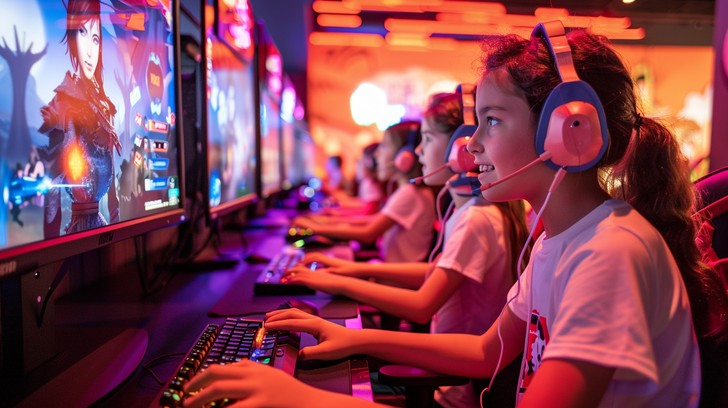
Competitive esports athletes, community speedrunners, and casual hobbyists alike understand the mental toll of an extended gaming marathon. Whether you are climbing the competitive ranks in an intense first-person shooter, coordinating an intricate multi-hour raid with your guild, or diving deep into a narrative role-playing title, maintaining razor-sharp concentration is demanding. As the hours tick by, mental clarity fades, reaction speeds drop, decision-making deteriorates, and physical discomfort sets in.
Fatigue is not an inevitable outcome you simply have to accept. Cognitive stamina is a resource you can actively cultivate and protect. High performance across hours of gameplay relies on the same biological principles that govern traditional athletics. By optimizing hydration, fine-tuning your physical environment, managing your visual health, and structuring intentional rest periods, you can eliminate brain fog, prevent costly in-game blunders, and maintain peak focus from the first match to the final victory screen.
Strategic Hydration and Electrolyte Maintenance
The human brain is roughly seventy-five percent water. Even a minor dip in total body hydration levels, as little as one to two percent, directly impairs executive cognitive functioning, lengthens reaction times, and shortens short-term working memory. When you are locked into a tense lobby or surviving chaotic team fights, the sensation of thirst is often suppressed until severe dehydration has already compromised your performance.
Many gamers reach for quick fixes that actually sabotage their mental consistency:
-
The Energy Drink Trap: Highly caffeinated canned energy drinks provide a sharp, immediate surge in central nervous system stimulation, often accompanied by massive doses of refined sugar. Within sixty to ninety minutes, this intense spike is followed by a sudden insulin surge and blood glucose crash. This biological roller coaster causes hand tremors, heart palpitations, irritable mood swings, and crippling brain fog right when a critical match hangs in the balance.
-
The Power of Clean Water: Pure, clean water should serve as your primary hydration baseline. Keep a large, insulated water bottle within arm reach at your desk and take consistent sips between rounds or during match loading screens rather than gulping water only when your mouth feels parched.
-
Balancing Essential Electrolytes: Sweating during intense competitive matches or drinking large volumes of plain water can dilute your body sodium, potassium, and magnesium concentrations. Adding a pinch of mineral sea salt or a sugar-free electrolyte powder to your water ensures cellular hydration and supports smooth neuromuscular firing without the unwanted sugar crash.
Nutritional Protocols for Sustained Mental Stamina
The fuel you supply to your digestive tract directly dictates the steady delivery of glucose to your brain. Consuming heavy, high-fat fast food or processed sugary snacks right before or during an extended play session diverts blood flow away from the brain and down toward the stomach to handle digestion. This process triggers deep lethargy, sluggish reflexes, and an overwhelming desire to sleep.
To keep your neural circuits operating at their peak, build your pre-game and mid-game nutrition around slow-burning, complex fuel sources:
-
Complex Carbohydrates: Choose foods with a low glycemic index, such as rolled oats, quinoa, brown rice, or sweet potatoes. These foods release glucose steadily into the bloodstream, preventing sudden energy peaks and valleys.
-
Lean Proteins and Amino Acids: Incorporate chicken breast, eggs, tofu, or Greek yogurt. Dietary protein supplies the amino acid precursors needed for the production of vital neurotransmitters like dopamine and acetylcholine, which regulate motivation, vigilance, and spatial processing.
-
Brain-Supporting Healthy Fats: Snacking on raw almonds, walnuts, pumpkin seeds, and avocados provides omega-3 fatty acids that support cellular membrane health and reduce systemic inflammation.
-
Smart Desk Snacks: Replace greasy potato chips that coat your peripherals in residue with clean, single-bite snacks like blueberries, dark chocolate with seventy percent or higher cacao content, or crisp carrot sticks with hummus.
Ergonomics and Spinal Alignment for Cognitive Flow
Physical comfort and mental focus are deeply connected. If your lower back is aching, your wrists are compressed against sharp desk edges, or your neck is bent forward at an awkward angle, your brain is forced to spend precious processing bandwidth registering physical pain signals. That constant background discomfort drains your mental endurance.
Set up your gaming station to support neutral body mechanics:
-
Monitor Height and Viewing Distance: Position your primary monitor directly in front of your face so the top third of the screen sits right at eye level. This prevents chronic forward head posture, which strains the cervical spine and restricts blood flow through the neck. The screen should be positioned roughly arm length away from your eyes to minimize eye fatigue.
-
Elbow and Forearm Support: Adjust your armrests so your elbows rest naturally at a ninety-degree angle, allowing your forearms to sit parallel to the floor. Your wrists should remain straight and neutral when using your keyboard and mouse, preventing median nerve compression inside the carpal tunnel.
-
Pelvic and Lumbar Support: Sit all the way back into your chair so your lumbar spine is supported. Your knees should be bent at a ninety-degree angle with your feet resting completely flat on the floor. If your feet dangle, use a firm ergonomic footrest to relieve pressure behind your thighs.
-
Breath Control and Posture Checks: Slumping forward in your chair compresses the diaphragm, leading to shallow chest breathing. Shallow breathing lowers oxygen saturation in the blood, accelerating physical fatigue. Periodically pull your shoulder blades down and back, sit upright, and take three deep abdominal breaths to oxygenate your system.
Visual Care and the Prevention of Digital Eye Strain
Your visual system is the primary sensory channel through which you process game information. Processing high-contrast scenes, tracking moving pixels across dynamic environments, and reacting to peripheral animations place heavy demands on the delicate ciliary muscles inside your eyes.
Extended screen exposure reduces your natural blink rate by up to sixty percent, drying out the corneal surface and causing burning sensations, blurred vision, and tension headaches that ruin your concentration.
-
Apply the Twenty-Twenty-Twenty Rule: Every twenty minutes of active screen time, look away from your display and focus your eyes on an object situated at least twenty feet away for a continuous twenty seconds. This simple shift relaxes the internal lens muscles of the eye, resetting their focal depth and preventing temporary vision degradation.
-
Balance Ambient Room Illumination: Gaming inside a completely dark room while staring directly at a bright, high-contrast monitor forces your pupils to continuously expand and contract as screen brightness changes. This extreme contrast triggers rapid visual exhaustion. Install a neutral warm bias light strip behind your monitor to cast a gentle glow against the back wall, softening the contrast between the screen and the room.
-
Calibrate Display Brightness and Blue Light: Set your monitor brightness to match the ambient light level of your room. In late-night gaming sessions, utilize your operating system built-in night light features or blue-light-reducing display modes to soften harsh high-energy visible light, protecting your circadian rhythm and easing eye tension.
Implementing Structured Movement Micro-Breaks
The most successful gaming professionals do not sit completely stationary for six straight hours. Staying in an unchanging position pools blood in the lower extremities, slows venous return to the heart, and reduces overall alertness.
Incorporate mandatory five-minute movement micro-breaks every sixty to ninety minutes:
-
Stand Up and Walk: Step away from the computer or television entirely. Walking around the room or taking a trip down the hallway immediately pumps fresh blood and oxygen back to the heart and brain.
-
Thoracic and Chest Openers: Stand inside a doorway, place your forearms against the doorframe, and gently step forward to stretch out tight pectoral muscles shortened by hours of reaching for a keyboard or holding a controller.
-
Wrist and Finger Mobility: Extend one arm forward with the palm facing up, then gently pull the fingers backward with the opposite hand for fifteen seconds to stretch the forearm flexors. Follow this by rolling your wrists in smooth, controlled circles to promote synovial fluid movement through the joints.
-
Hydration and Washroom Reset: Use this designated intermission to refill your water bottle, empty your bladder, and wash your face with cool tap water to trigger an invigorating sensory reset.
Eliminating Digital and Environmental Distractions
True focus requires deep immersion in the task at hand. When you attempt to split your attention between your game, social media notifications, video streams on secondary monitors, and background noise, your brain suffers from heavy context switching. Every time your attention is pulled away, it takes valuable minutes to return to a state of absolute flow.
-
Silence Mobile Notifications: Put your smartphone on do-not-disturb mode or place it face down out of your direct line of sight. Continual screen flashes from text messages and app alerts pull your attention away during critical gameplay moments.
-
Manage Secondary Displays: If you utilize a multi-monitor battle station, resist the urge to run active video streams, chat channels, or animated social feeds on your second screen during competitive play. Keep that monitor clear or dim its display to keep your peripheral vision locked into the game.
-
Utilize Noise-Isolating Audio: Use a high-quality closed-back gaming headset or noise-canceling headphones to block out distracting household sounds, street traffic, and barking pets. Clear directional audio cues, like enemy footsteps or ability wind-ups, not only improve in-game awareness but also help you tune out external distractions.
Frequently Asked Questions
Can taking chewing gum while gaming actually improve focus and reaction time?
Yes, research in cognitive psychology demonstrates that chewing gum can temporarily enhance attention, alertness, and working memory. The mechanical act of chewing increases blood flow to the brain by stimulating the trigeminal nerve and activating regions responsible for motor coordination and vigilance. For intense gaming sessions, sugar-free peppermint or spearmint gum is an easy way to promote focus without consuming unwanted sugar.
How does room temperature affect gaming concentration and hand dexterity?
Ambient room temperature has a major impact on gaming performance. If a room is overly warm, above seventy-four degrees Fahrenheit, the body directs energy toward thermal regulation, inducing drowsiness, sweating, and sluggish reflexes. Conversely, if a room is too cold, below sixty-six degrees Fahrenheit, blood vessels in the extremities constrict to preserve core body heat. This constriction results in stiff, cold fingers that slow down input speeds on mice and controllers. Maintaining your gaming environment between sixty-eight and seventy-one degrees Fahrenheit provides the optimal balance for mental alertness and finger dexterity.
What is the best way to regain mental composure after an intense in-game loss?
Experiencing a frustrating loss often triggers psychological tilt, a state of emotional frustration where decision-making becomes reckless, rushed, and erratic. To break this cycle, step away from the desk immediately after the match ends. Close your eyes and practice box breathing: inhale deeply through your nose for four seconds, hold the breath for four seconds, exhale steadily through your mouth for four seconds, and hold empty for four seconds. Repeating this cycle four times stimulates the parasympathetic nervous system, lowering your heart rate, clearing adrenaline, and restoring logical reasoning.
Are blue-light-blocking glasses necessary if my monitor already has an eye-saver mode?
If your gaming display includes a certified low blue light setting or your operating system features a built-in night light profile, dedicated blue-light-blocking glasses are largely redundant. Built-in software modes reduce blue light output at the hardware source by warming the color profile of the screen. Dedicated glasses are primarily useful if you cannot alter the color calibration of your display, or if you play in an environment lit by harsh, high-kelvin fluorescent bulbs that you cannot turn off.
How many hours can the human brain maintain peak competitive focus before performance drops?
Cognitive science indicates that human beings can sustain peak, high-intensity executive focus for roughly ninety to one hundred and twenty minutes before attention naturally declines. After this window, sustained concentration begins to degrade, leading to slower visual processing, missed cues, and compromised decision-making. To sustain high performance across a longer day, break your play sessions into ninety-minute blocks separated by ten-to-fifteen-minute mental and physical intermissions.
Does listening to background music improve or hurt gaming performance?
The effect of music depends heavily on the genre of the game and the nature of the audio track. In fast-paced games where audio cues like footsteps, weapon reloads, and spatial sounds dictate survival, listening to music hurts performance by masking vital auditory information. However, during repetitive grinding, farming, or casual play, listening to instrumental, lyric-free music at low volumes, such as ambient electronica, classical, or low-tempo instrumental beats, can help regulate mood, reduce anxiety, and sustain focus without overloading the brain language centers.